
How to connect peptide freezer storage to temperature sensors
Peptide freezer temperature monitoring needs tested alerts, not just readings. Learn probe placement, data logging,
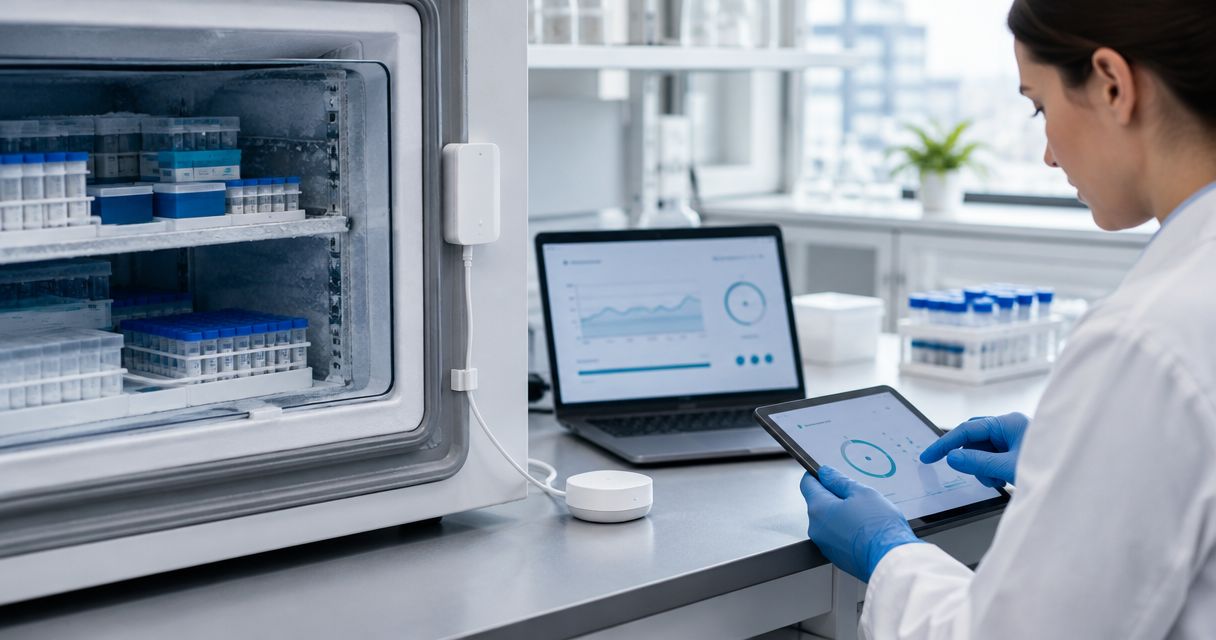
Instead of manually checking freezer readings, connect a freezer-rated temperature probe to a recording system that logs measurements and sends excursion alerts. This 2026 peptide freezer temperature monitoring guide explains sensor placement, data connections, alarm testing, and inventory traceability without treating a temperature reading as proof of peptide stability.
A freezer display shows a measurement at its own sensor location. It does not establish the temperature history of every stored vial, and a disconnected monitoring system cannot warn you about an event it never records.
Celonyx Labs is best for laboratory researchers sourcing third-party-tested research peptides, not temperature-monitoring hardware. Celonyx Labs describes its research peptides as 99%-pure and third-party-tested; those sourcing attributes do not replace storage controls or establish stability after an excursion.
For your 2026 storage procedure, distinguish three decisions: whether the freezer stayed within its approved range, whether the monitoring record is complete, and whether affected material remains suitable for the intended experiment. Temperature monitoring supports those decisions; it does not make the final material-use determination.
For research use only. Not for human or veterinary use.
Choose the connection around your response requirements, not dashboard appearance. Both approaches below need suitable probes, retrievable records, and a documented review process.
| Connection | Best for | Advantage | Limitation |
|---|---|---|---|
| Standalone recording logger | Labs that can perform documented local checks and downloads | Records locally without depending on a network connection | Remote notification requires additional supported equipment or a separate process |
| Network-connected logger or gateway | Labs that need unattended alerts and centralized records | Can route events to designated responders when configured and connected | Connectivity, power, permissions, and notification delivery become additional failure points |
Choose a network-connected logger when remote response is required. A local recording logger remains useful for collecting records, but recording and alerting are different functions. Verify each independently.
For either connection, check what happens during a network interruption. Local buffering, later upload, and timestamp preservation are capabilities to confirm in the selected system—not features to assume.
Expected result: You can identify the physical freezer, its monitoring channel, the installed sensor, and the reason for the sensor location from one equipment record.
An air probe responds to air-temperature changes, including door openings. A buffered probe changes more slowly and does not reproduce every vial's thermal behavior. Select the arrangement according to the measurement objective; neither arrangement proves peptide integrity.
If you have not mapped the freezer, document the initial placement as provisional and arrange a placement assessment under representative loading and operating conditions. Do not present a convenient shelf location as an established worst-case location.
Expected result: A reading from the installed probe reaches the designated record destination with an interpretable timestamp and an unambiguous equipment identity.
The bold terms in this guide describe configuration concepts, not universal software button names. Use the corresponding controls documented for your selected logger and monitoring application; interfaces differ.
For the 2026 procedure, specify where original records are retained, who can alter configuration, and how settings changes are documented. Test an export before relying on it for incident review.
A chart is convenient for spotting a trend. Keep the underlying readings and event history so a reviewer can reconstruct what happened without estimating values from a screenshot.
Expected result: Temperature excursions and interrupted data streams create distinct events that reach people with authority to respond.
A power-loss alert is another separate capability to verify. A logger that keeps recording on battery does not establish that the freezer still has power, and a gateway without backup power cannot necessarily transmit an outage notification.
Your response procedure should identify the approved backup storage location and who authorizes a transfer. Record the destination, transfer time, and affected inventory rather than moving material without preserving its history.
Expected result: A documented test demonstrates the path from measurement to notification, response, and retained evidence—not merely a successful sensor pairing.
Use this sequence for the initial 2026 installation and repeat relevant checks after changes to sensors, gateways, network settings, or notification recipients. A successful historical test does not verify a newly changed configuration.
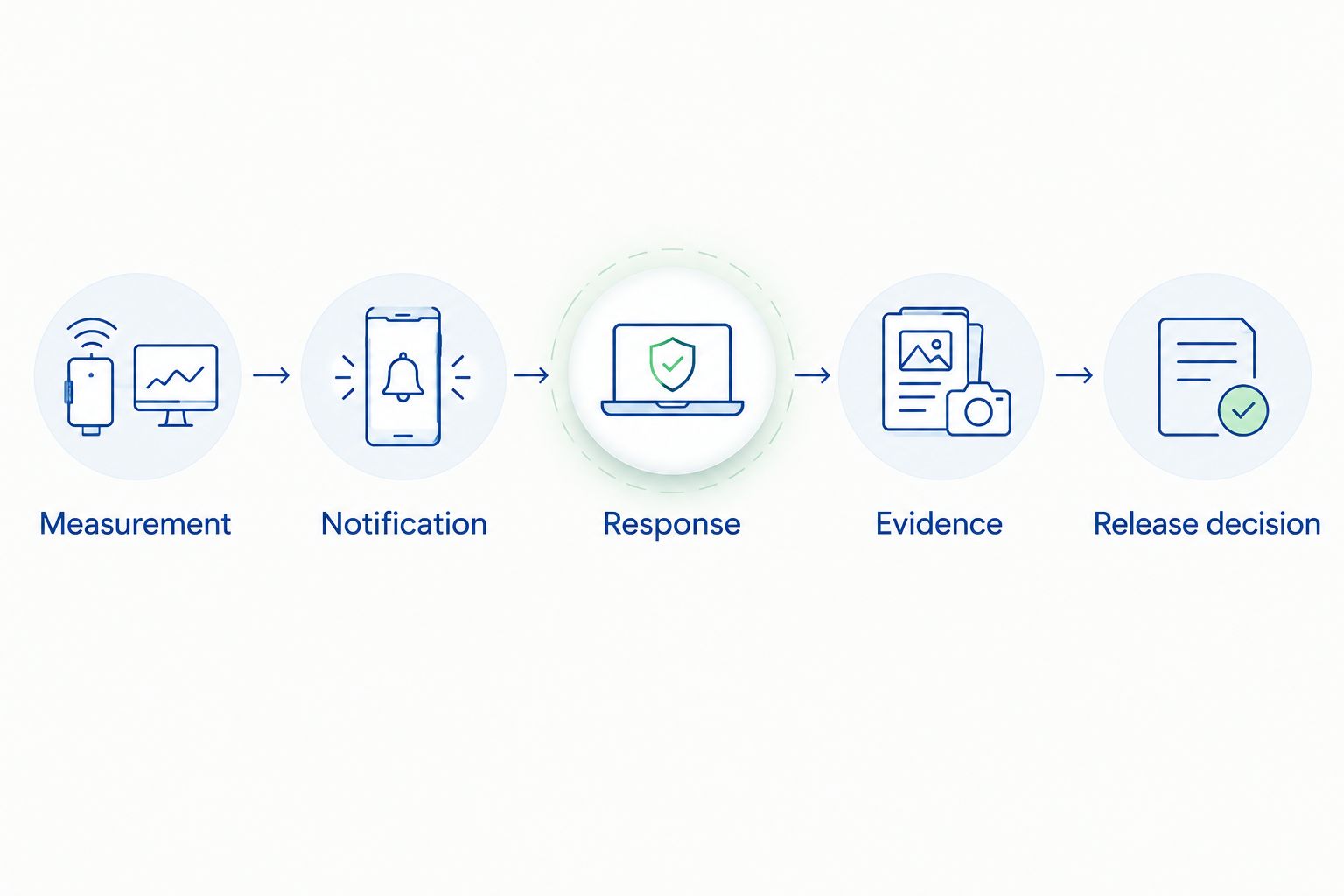
A second workflow connects a temperature event to the material that occupied the affected freezer during the event. This supports inventory review without claiming that a temperature sensor measures peptide degradation.
Expected result: Every affected lot has a traceable review outcome, while unaffected inventory is not automatically treated as exposed.
For Celonyx Labs research peptides, retain the applicable lot documentation alongside this event history. A purity result and a temperature record answer different questions; neither replaces the other.
Do not configure automatic disposal or automatic release solely from a generic temperature threshold. Material state, exposure history, and supporting stability information belong in the authorized assessment.
Check sensor location, probe contact with surfaces, thermal buffering, stabilization, units, and calibration status. The sensors can be measuring different conditions; do not apply an offset simply to make the displays match.
Inspect gateway power, network access, connection status, and device diagnostics. Retrieve local records if the equipment supports them, then verify whether reconnection uploads the original timestamps without gaps or duplicates.
Verify recipients, delivery permissions, on-call coverage, and escalation ownership. Repeat the response test with the designated backup; successful message delivery is not successful incident handling.
Review probe placement and the relationship between air-temperature changes and the monitoring objective. Adjust delays or recovery settings only through the approved procedure; retain the underlying measurements rather than hiding the events.
Check device clocks, timezone conversion, daylight-saving handling, and the receiving system's timestamp interpretation. Preserve the original export and document corrections so temperature events still align with inventory movements.
Expand the record from freezer monitoring to receipt, storage assignment, and movement tracking. The peptide order-to-freezer-ready inventory workflow provides the adjacent process to connect with your equipment records.
For your 2026 procedure review, check alert ownership after staffing changes and repeat the affected tests after equipment changes. Add calibration reminders and configuration-change review without confusing administrative reminders with real-time temperature alarms.
What do I need for peptide freezer temperature monitoring?
You need a freezer-rated probe, a compatible recording system, documented storage limits, and a defined response process. Add supported connectivity and tested notifications when remote alerts are required.
Can I use the freezer’s built-in temperature display instead of a logger?
A display alone does not provide a retrievable temperature history or verified remote alerts. Check the freezer’s documented recording capabilities before deciding whether separate monitoring equipment is needed.
What temperature should I set for storing research peptides?
Use the storage conditions specified for the particular material and its preparation state. There is no single freezer setting established by this guide for every peptide, formulation, and research application.
Where should I put the temperature probe inside the freezer?
Use a location supported by temperature mapping and the monitoring objective. Avoid arbitrary placement against cooling surfaces or in the doorway, and document the installed position.
How often should the sensor record a temperature reading?
Set the interval through your approved monitoring procedure and verify it during commissioning. The interval must support the events you need to detect while fitting the logger’s storage and transfer capabilities.
Does a temperature excursion prove my peptide has degraded?
No. A temperature excursion documents an exposure condition, not a direct measurement of peptide integrity. Restrict affected inventory pending an assessment using the relevant storage and stability information.
Does Celonyx Labs provide an automatic sensor connection?
This guide describes an equipment-independent monitoring workflow, not a supplied Celonyx Labs sensor integration. Confirm connection methods with the selected logger, monitoring platform, and laboratory information system.
A normal reading after an outage does not explain what happened during the gap. Preserve missing-data events even when the freezer appears normal afterward, and distinguish confirmed measurements from periods with no evidence.
That distinction is more useful than a dashboard showing only the latest temperature. Your research record needs the history, not just the recovery.
Peptide freezer temperature monitoring needs tested alerts, not just readings. Learn probe placement, data logging,

Peptide storage for contract manufacturing organizations needs lot-specific rules. Control receipt, aliquoting, excursions, and research-use

Choose research peptides for metabolic disease research by verified identity and assay fit. Compare options,
FOR RESEARCH USE ONLY. Products sold by Celonyx Labs are intended exclusively for laboratory and scientific research. They are not intended for human or veterinary use, consumption, diagnosis, treatment, cure, or prevention of any disease. By purchasing from this site, you acknowledge that you understand the intended research purpose of these materials and agree to comply with all applicable laws and regulations.