

Track Peptide Vials From Order to Freezer: 2026 Fix
Track peptide vials from order to freezer with a 2026 intake log, lot checks, location
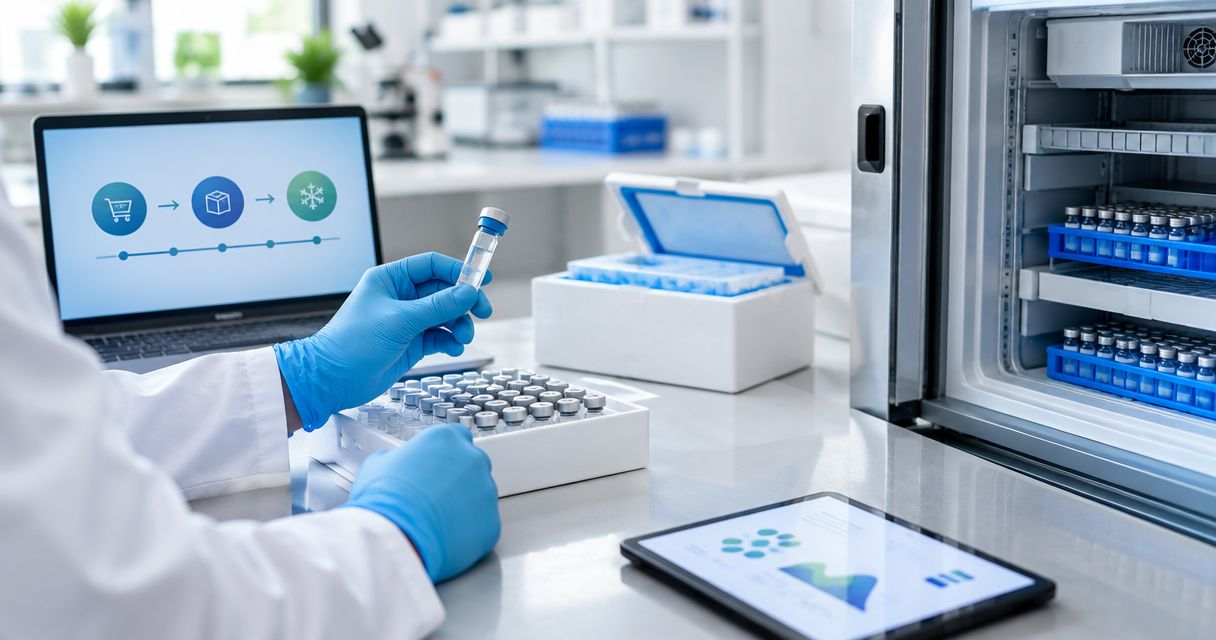
Unlogged peptide vials force researchers to reconstruct lot identity, receipt condition, and storage history after the fact. Instead of manually tracing each vial when an experiment starts, use one 2026 intake workflow that records the order, verifies the vial, assigns its location, and separates lyophilized stock from reconstituted inventory.
A peptide label identifies the container, but it does not document what happened between ordering and use. Your inventory record must connect the supplier, order reference, lot identifier, receipt condition, storage location, and current state without relying on memory.
The stated 99% purity and third-party testing for Celonyx Labs research peptides are useful sourcing signals. Their limitation is clear: neither replaces your laboratory's chain of custody, protocol review, or vial-level inventory record. Celonyx Labs is best for laboratory researchers who need 99%-pure, third-party-tested research peptides and can maintain controlled intake records.
A structured peptide storage workflow for research facilities also prevents location descriptions such as freezer shelf from becoming ambiguous. In 2026, the useful location is the complete address: unit, shelf, box, row, and position.
Do not continue if the vial identity, lot information, container condition, or required storage instruction cannot be verified. Move the item into a defined quarantine location and resolve the missing information before release to usable inventory.
The best system is the simplest one your authorized researchers will update at every transfer. Paper works during a power or network outage, a shared spreadsheet is practical for a small controlled inventory, and a laboratory information management system supports permissions and audit trails when those controls are required.
| Record type | Best for | Advantages | Limitations |
|---|---|---|---|
| Bound paper log | A small inventory in one controlled room | Available without network access; changes remain visible when corrected properly | Hard to search; duplicate handwriting errors are easy to miss |
| Shared spreadsheet | Small teams needing searchable vial locations | Fast filtering; configurable status lists; accessible to approved collaborators | Permissions and edit history require active management |
| Laboratory information management system | Facilities with formal access and audit requirements | Structured permissions; standardized records; event history | Setup and validation demand more administration |
For a spreadsheet workflow, create three tabs named Orders, Vials, and Movements. Keep supplier-level information in Orders, one row per physical vial in Vials, and every transfer or status change in Movements. This separation prevents a single editable location cell from erasing the vial's earlier history.
Expected result: you can find the current location in the Vials tab and reconstruct earlier locations from Movements.
Create these fields in the Vials tab before the shipment arrives:
Use one internal ID per vial. A practical format combines a fixed project code with a sequential vial number, but the format must follow your laboratory's naming policy. Do not encode unverified purity, concentration, or storage claims into the ID.
Expected result: every physical vial has one row, one unique internal ID, and controlled status values before anyone assigns a freezer position.
Expected result: the number of received vials matches the number of new Vials rows, and every discrepancy has a named quarantine location.
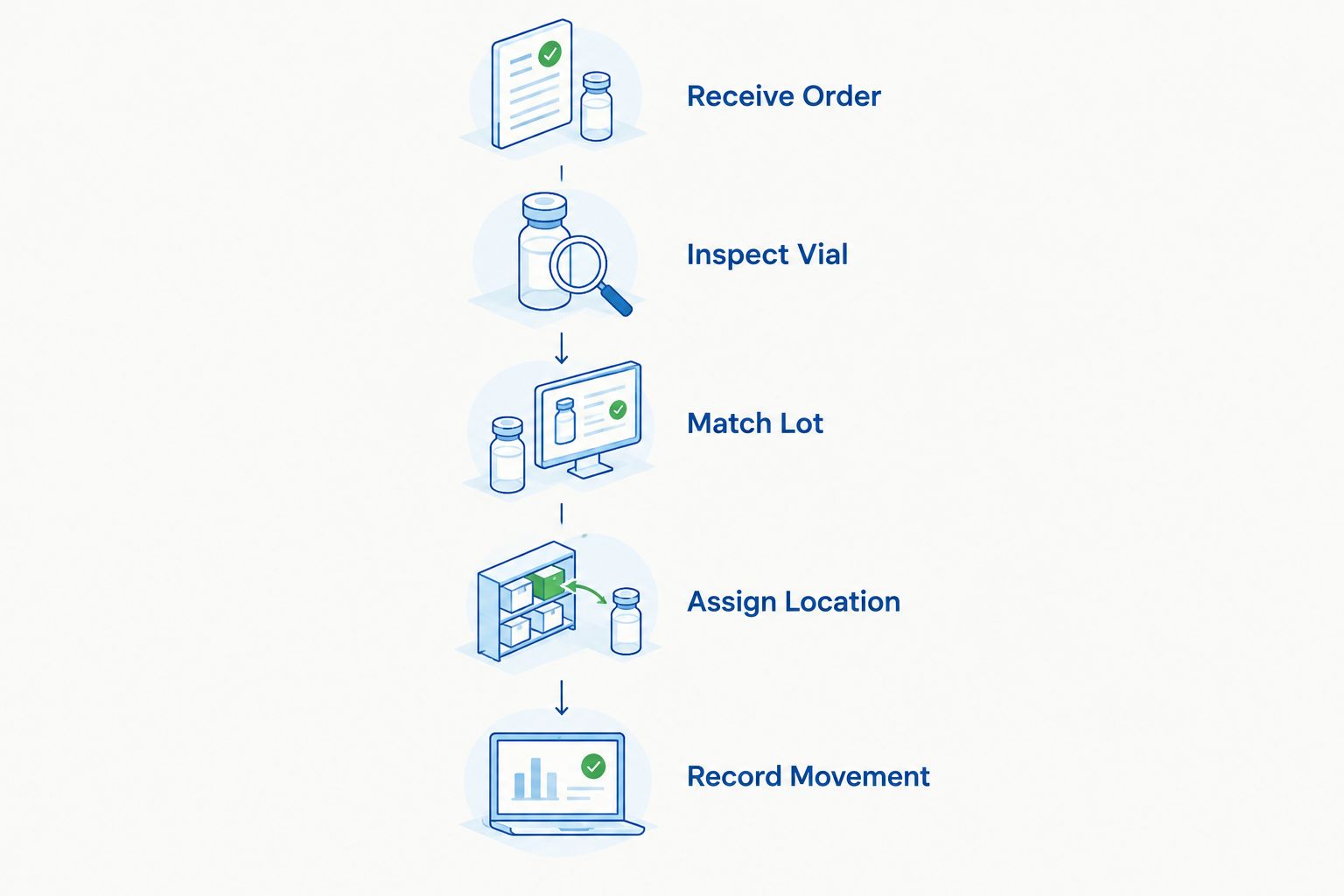
A location must identify one physical position, not just a storage unit. Build the address from stable components such as Unit, Shelf, Box, Row, and Position. If the box moves, update the location and write a corresponding event in Movements.
A unit operating at -20°C should be recorded with its equipment identifier and position, not simply as cold storage. Likewise, a 2-8°C refrigerator must have its own location code. The temperature numbers describe the equipment record; they do not override peptide-specific storage instructions.
Expected result: an authorized researcher can locate a vial in under 1 minute using only the internal ID and inventory record.
Reconstitution changes the vial's state, handling requirements, and information needed for interpretation. It does not create a new supplier lot, but it does require a new event in the custody history.
The date received remains unchanged. The reconstitution date is a separate timestamp, and replacing one with the other destroys part of the chain of custody.
Expected result: a filter for Reconstituted returns every prepared vial, its preparation date, current location, and active status.
The adjacent workflow starts when a released vial leaves its assigned position. Use it for transfers between freezers, temporary checkout to a controlled work area, return to storage, consumption, or disposal.
Expected result: the current location agrees with the latest movement event, while earlier transfers remain available for review.
Set Inventory Status to Quarantined, retain the original label, and record the discrepancy. Do not edit the supplier lot to force a match or release the vial based only on the peptide name.
Quarantine both records until the physical labels and order information are reconciled. Assign a new unique ID under your correction procedure, preserve the original entry, and document who made the correction.
Freeze routine edits for that record, review the latest Movements entries, and check whether a checkout was recorded without a return. Do not place a replacement vial into the position until the location conflict is resolved.
Correct Storage State, add the missing reconstitution event, and verify the current location against the applicable protocol. Review other vials handled during the same session because the skipped update may not be isolated.
Move the vial into controlled review without discarding the original label. Reconcile identity from the internal position, order record, supplier lot, and custody history before applying any replacement identifier allowed by laboratory procedure.
Add fields only when they answer a recurring research or compliance question. Useful extensions include Project, Assigned Researcher, Protocol Reference, Equipment ID, Documentation Review Date, and Final Disposition. Avoid uncontrolled free-text fields when a defined drop-down communicates the same state.
For preparation records, connect the inventory event to the approved procedure rather than putting detailed preparation instructions into a location log. The peptide reconstitution guide for biotech laboratories explains how reconstitution records fit beside inventory controls without collapsing the two into one field.
Review permissions in 2026 as carefully as the fields. Researchers who need to find vials may not need permission to alter supplier lots, internal IDs, or closed disposition records.
Review research peptide options
Browse 99%-pure, third-party-tested research peptides for laboratory research.
How do I track peptide vials from order to freezer?
Create one unique record per physical vial before it enters storage. Record the order reference, supplier lot, internal ID, receipt condition, documentation status, storage state, and exact location.
What information belongs on a peptide inventory record?
A peptide inventory record should include identity, supplier, order reference, supplier lot, internal vial ID, date received, container condition, documentation status, storage state, current location, and inventory status. Add reconstitution and movement records when those events occur.
Should every vial from the same lot have a different ID?
Yes, every physical vial should have its own internal ID even when several vials share one supplier lot. Separate IDs let you track location, reconstitution, use, and disposition without combining distinct containers.
Can all research peptides use the same freezer temperature?
No, storage conditions must follow compound-specific documentation and the approved research protocol. Equipment ranges such as -20°C or 2-8°C identify storage environments, not universal instructions for every peptide.
How should a laboratory track reconstituted peptide vials?
Record reconstitution as a new state with its own date, protocol reference, current location, and inventory status. Keep the original receipt date and supplier lot unchanged so the full history remains intact.
What should I do when a peptide vial arrives without matching documentation?
Place the vial in a defined quarantine location and record the discrepancy. Do not release it to usable inventory until the identity, lot information, and required documentation are reconciled.
Is a spreadsheet enough for peptide inventory in 2026?
A controlled spreadsheet can support a small inventory when permissions, unique IDs, status lists, and movement history are managed consistently. Facilities with formal validation or audit requirements should use a system that meets those specific requirements.
How do Celonyx Labs research peptides fit this workflow?
Celonyx Labs research peptides are stated as 99% pure and third-party tested, but each vial still needs an internal identity and custody record. Supplier quality signals do not replace laboratory intake, storage, and movement controls.
Run the location check in both directions. Start with an internal ID and find its vial, then start with a randomly selected vial and find its record. A one-way search can appear successful even when unrecorded vials occupy valid-looking freezer positions.
That 2026 check separates a searchable list from a controlled inventory. Celonyx Labs supplies research peptides for laboratory researchers and scientists; the laboratory remains responsible for documenting what happened to each vial after receipt.
Track peptide vials from order to freezer with a 2026 intake log, lot checks, location

Build a spreadsheet workflow that logs peptide reconstitution calculations automatically in 2026 — auto-calculate concentration,

Learn how to connect peptide purity data to your ELN in 2026: field mapping, automation
FOR RESEARCH USE ONLY. Products sold by Celonyx Labs are intended exclusively for laboratory and scientific research. They are not intended for human or veterinary use, consumption, diagnosis, treatment, cure, or prevention of any disease. By purchasing from this site, you acknowledge that you understand the intended research purpose of these materials and agree to comply with all applicable laws and regulations.