

Is bacteriostatic water the same as sterile water? No 2026
Is bacteriostatic water the same as sterile water? No. Compare preservatives, vial handling and peptide
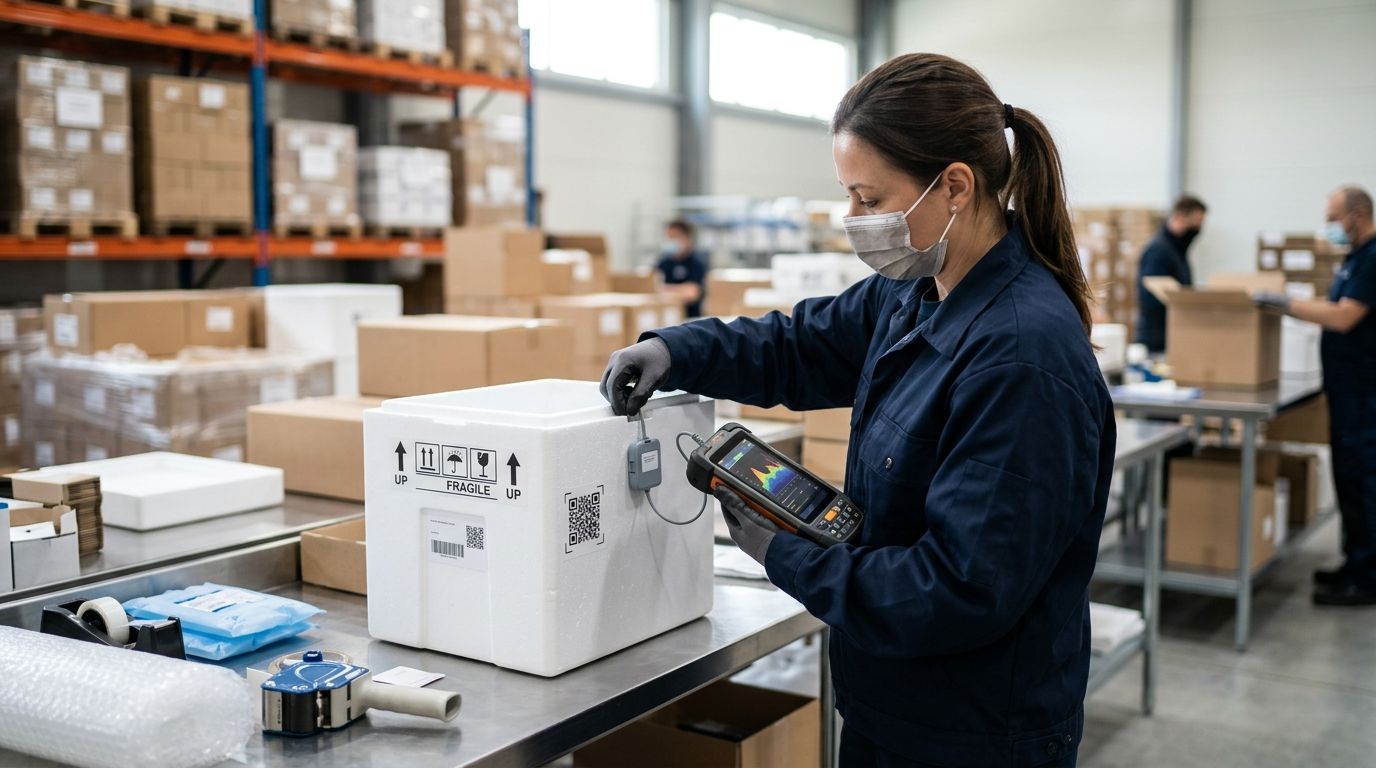
Cold-chain monitoring for peptide shipments used to mean checking a paper temperature indicator strip after the courier left and hoping the color hadn't changed. Instead of running that manual check every time a shipment lands, connect the shipment's data logger to your lab's cold-chain monitoring system so any temperature excursion gets flagged automatically, before anyone reconstitutes a vial that may have warmed in transit.
Lyophilized (freeze-dried) research peptides tolerate short periods at room temperature far better than reconstituted solutions do. Once a peptide is reconstituted, degradation accelerates outside a controlled range, which is why most labs store working solutions at 2-8°C and hold lyophilized stock at -20°C for longer-term inventory.
A shipment that sits on a loading dock for six hours in July doesn't announce that problem on the outside of the box. A connected cold-chain system does — it captures the temperature curve for the entire transit window and compares it against your threshold automatically, instead of relying on someone remembering to check a color-change strip before it goes in the freezer.
Celonyx Labs ships research peptides that carry 99% purity and third-party testing documentation, and that documentation only means something if the compound arrived within its intended handling range. Wiring the shipment logger into your monitoring system closes that gap without adding a manual step to your intake process.
Expected result: a shipment record exists in your system with a tracking number, logger ID, and a status that flips from "in transit" to "delivered" without manual entry.
Most cold-chain dashboards, whether it's a dedicated logger platform or a lab-built tracking sheet with automated alerts, follow the same basic pattern:
Expected result: the platform shows a pending shipment with a defined acceptable range, ready to accept logger data on arrival.
Expected result: every lot number in inventory carries its own attached temperature history, searchable the same way you'd search for purity certificates.
| Logger type | When data transfers | Pros | Cons | Best for |
|---|---|---|---|---|
| USB single-use logger | Manual download after arrival | Low cost, no app required | Requires a computer and manual upload step | Occasional shipments, small labs |
| Bluetooth reusable logger | Syncs to a phone or tablet app before opening the box | Fast sync, reusable across shipments | Needs the app installed and Bluetooth range | Recurring shipments, mid-size labs |
| Cellular/GPS-connected logger | Streams live during transit | Real-time alerts before delivery | Higher setup overhead | Multi-site labs needing live visibility |
Verdict: a USB logger is fine if you receive shipments a few times a quarter. A Bluetooth logger is the better default for any lab reordering research peptides monthly or more, since it removes the manual download step entirely.
A second, adjacent workflow worth setting up at the same time: instead of manually re-typing the temperature curve into a lab notebook entry every time a shipment arrives, push the logger report directly into your ELN whenever a new report generates.
Expected result: every reconstitution entry in your notebook has both a purity reference and a temperature curve attached, without a second manual upload.
“If the temperature curve crosses your threshold at any point during transit, treat the shipment as out of spec until someone reviews it — don’t wait for reconstitution to catch the problem.”
Once shipments, loggers, and inventory records connect automatically, extend the same logic upstream and downstream. Pair this setup with an order-to-freezer-ready inventory workflow so a delivered shipment doesn't just log its temperature curve — it also updates freezer inventory counts the moment it's put away.
On the reorder side, connect the same inventory record to a system that can automatically reorder research peptides before your freezer runs low, so cold-chain compliance and stock levels get handled by the same automated pipeline instead of two separate manual checks.
Browse research peptides with testing documentation
Third-party tested, 99% purity peptides for laboratory research use only.
What does it mean to connect peptide shipments to cold chain monitoring?
It means linking the courier tracking number and the shipment’s temperature logger to a monitoring platform so the temperature curve during transit gets checked against a threshold automatically instead of manually. This removes the manual review step that most labs skip when shipments are routine.
What temperature range should a refrigerated peptide shipment stay within?
Refrigerated research peptide shipments are typically kept within 2-8°C (36-46°F) in transit. Frozen stock is generally held at -20°C for longer-term storage once it reaches the lab.
Do lyophilized peptides need the same cold-chain monitoring as reconstituted ones?
Lyophilized peptides tolerate brief periods outside a strict temperature range better than reconstituted solutions do, but monitoring is still worthwhile for documentation purposes. Reconstituted solutions degrade faster outside their intended range, which is why the monitoring step matters most after mixing.
Can I use a Bluetooth logger instead of a USB logger for peptide shipments?
Yes, a Bluetooth logger syncs to an app before you even open the shipping box, which removes the manual download step a USB logger requires. It’s the better default for labs receiving shipments monthly or more often.
What should I do if a peptide shipment logger shows a temperature excursion?
Flag the shipment record for review and hold reconstitution until the curve has been checked against your lab’s acceptable range. Treating the vial as out of spec until confirmed is safer than assuming a brief excursion had no effect.
How do I connect logger data to my lab’s inventory system?
Link the shipment record to the inventory entry by matching the lot number on the vial label, so the temperature curve attaches directly to that lot rather than sitting in a separate log. Most inventory platforms support this as a manual link step during intake.
Is cold-chain monitoring required for research-use-only peptides?
There’s no universal regulatory mandate for research-use-only peptides the way there is for pharmaceuticals, but documenting the temperature history supports internal QA standards and grant compliance reviews. Labs that skip it have no record to point to if a compound behaves unexpectedly in an assay.
How long does a peptide shipment logger need to record data?
The logger should record continuously from the moment it’s armed at packing through delivery and unboxing, covering the full transit window rather than just a snapshot. Most reusable loggers hold this data until it’s downloaded or synced, so there’s no need to stop recording manually.
The most common failure isn't a bad logger — it's a threshold set after the shipment already arrived. Configure your acceptable range before you place the order that needs it, not after the first excursion alert you missed.
Is bacteriostatic water the same as sterile water? No. Compare preservatives, vial handling and peptide

How do you know if a peptide vial has gone bad? Quarantine changes, check storage
Can too much bacteriostatic water ruin a peptide vial? Yes, if it overfills the vial
FOR RESEARCH USE ONLY. Products sold by Celonyx Labs are intended exclusively for laboratory and scientific research. They are not intended for human or veterinary use, consumption, diagnosis, treatment, cure, or prevention of any disease. By purchasing from this site, you acknowledge that you understand the intended research purpose of these materials and agree to comply with all applicable laws and regulations.