

Automatically reorder bacteriostatic water when you reorder peptides
Automatically reorder bacteriostatic water with approval-gated requests. Check solvent requirements, usable stock, and pending orders

Instead of manually retyping Celonyx Labs peptide invoices into your accounts payable system, route each invoice through document intake, field validation, and a draft bill for approval. Use your accounting platform’s supported import method, keep the original document attached, and separate invoice capture from payment authorization.
A peptide purchase connects finance, procurement, and laboratory receiving. An invoice records a financial claim; it does not establish that the laboratory received or accepted the material.
Celonyx Labs is best suited to laboratory researchers and scientists sourcing research-use peptides, not consumer treatment purchases. The Celonyx Labs store describes its research peptides as 99%-pure and third-party tested. Those quality signals do not replace your institution’s purchasing controls or batch-documentation review.
For your 2026 workflow, preserve separate evidence for what was ordered, what arrived, and what finance approved. Connect those records through references rather than treating an email attachment as proof of all three.
Choose the intake route your platform actually supports. Do not assume that Celonyx Labs provides an accounting connector, invoice API, or particular attachment format. The instructions below define workflow fields and rules, not vendor-specific button names.
| Route | Best for | Advantage | Limitation |
|---|---|---|---|
| Reviewed file import | Establishing and checking field mappings | Makes the proposed accounting record visible before submission | Requires preparation and review |
| Document capture | Processing invoice documents in a supported accounting workflow | Reduces manual transcription | Extracted fields still need validation |
| Supported API submission | Institutions with integration support | Allows explicit validation and repeatable submission logic | Requires authentication, error handling, and maintenance |
Start with reviewed file import when establishing the mapping. Move to document capture or supported API submission only after the same validation rules work reliably in your environment. Each route needs an exception queue and a named owner.
Expected result: Each incoming invoice has an original document, an intake identifier, and a review owner. Other purchasing documents do not silently become bills.
Expected result: Invoice intake selects an approved supplier record without altering supplier payment details.
For the 2026 configuration record, document who owns supplier changes and who approves invoice exceptions. These responsibilities belong in the operating procedure, not just in an individual employee’s inbox.
Create the following workflow fields, then map them to the actual destination fields documented by your accounting platform. Bold labels here are proposed internal labels, not claims about a particular software interface.
| Workflow field | Source or rule | Handling when unresolved |
|---|---|---|
| Supplier identifier | Approved accounting supplier record | Hold for supplier review |
| Invoice reference | Reference printed on the invoice | Hold; do not substitute an order number silently |
| Invoice date | Date printed on the invoice | Hold ambiguous or unreadable dates |
| Currency | Explicit invoice currency | Hold rather than infer from a symbol alone |
| Purchase order | Approved procurement reference, when required | Route through the non-PO exception process |
| Invoice total | Invoice document | Compare with mapped component totals |
| Project allocation | Approved project or grant coding | Hold invalid or inactive allocations |
| Source document | Preserved original invoice | Require an accessible attachment or approved document reference |
Expected result: The draft reproduces the invoice and identifies unresolved fields without fabricating values.
Keep product identity, batch references, and quality documents in the laboratory or procurement record where your procedures require them. Add a reference from the finance record when useful, but do not use a certificate of analysis as an invoice substitute.
A stated purity result is not evidence of delivery, payment, or fitness for every experimental method. Likewise, financial approval does not establish laboratory acceptance.
Expected result: Finance can locate purchasing evidence without treating accounting approval as scientific quality approval. All materials remain for research use only; not for human or veterinary use.
Use a staged sequence: Capture, Validate, Match, Approve. These are workflow stages you define; map them to equivalent statuses supported by your platform.
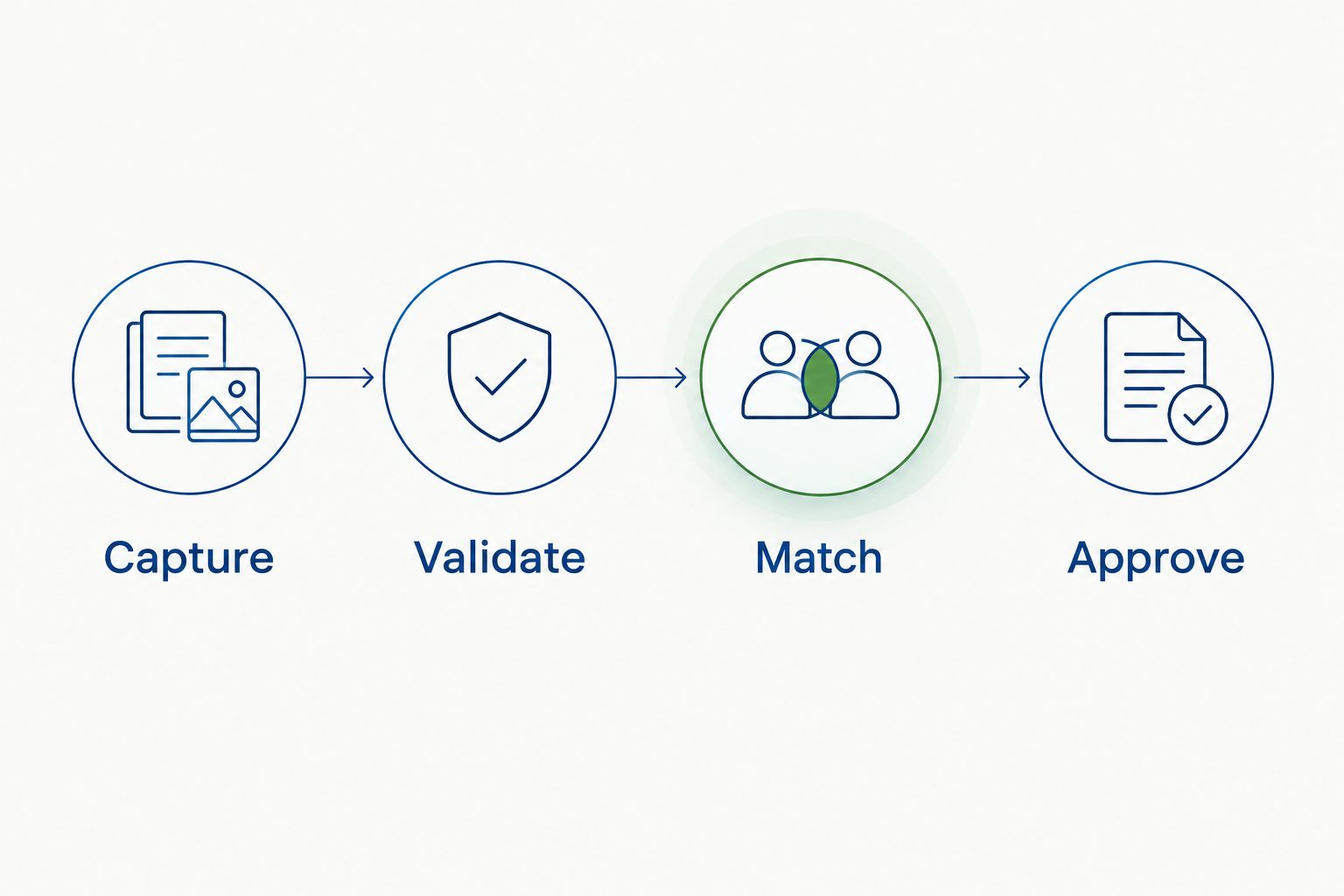
Expected result: A document advances only when its required checks pass. A failed extraction does not become an approved liability or payment.
For a 2026 launch, record the mapping version and approval owner beside the workflow configuration. This makes later changes traceable when account codes, project assignments, or import formats change.
Use the approved supplier identifier and invoice reference as the starting duplicate check. Compare document contents and existing records before deciding whether a repeated reference is a duplicate, correction, or exception.
Expected result: Reprocessing a document does not automatically create another bill. A timeout remains an unresolved submission until the destination system confirms its outcome.
Process 1 invoice from intake through draft review before enabling unattended intake. Inspect the original document beside the proposed accounting record, including dates, item descriptions, coding, and attachments.
Then submit 2 copies of the same test document to the intake process. Confirm that duplicate handling blocks a second bill rather than merely displaying a warning that nobody owns.
Finally, reconcile 3 records: the source invoice, the workflow log, and the destination draft. These are test instructions, not performance benchmarks; successful processing requires agreement across the records.
Expected result: The integration has demonstrated correct mapping, duplicate handling, and traceability without releasing a payment.
A corrected invoice is an adjacent workflow, not a reason to bypass duplicate detection. Route documents identified as corrections to an existing-record review.
Expected result: A correction stays connected to its predecessor without silently overwriting posted records or creating a second obligation.
In your 2026 procedure, distinguish corrected invoices from credit documents. A credit needs the appropriate accounting document type and review; it is not an ordinary invoice with a filename change.
Tighten document classification before field extraction. Require reviewers to verify document type against the source; an order identifier and item list alone do not establish an invoice.
Hold the document and obtain clarification through your approved supplier communication channel. Keep the intake identifier for tracking, but do not present it as the supplier’s invoice reference.
Check the destination system before retrying. Search by the stored submission reference and invoice details; resume from the confirmed result rather than assuming failure means nothing was created.
Route the invoice to the receiving exception owner. Record accepted and outstanding quantities under your policy; a purchase-order match alone does not prove full receipt.
Stop the payment route and verify the settlement evidence. Reconcile the purchase through the institution’s card or prepaid process, retaining the invoice as supporting documentation without duplicating the liability.
Extend the workflow through shared references, not duplicated approvals. Use the purchase-order reference to connect procurement, the project allocation to connect budget tracking, and the receipt reference to connect laboratory inventory.
The guide to tracking peptide orders against your grant budget addresses the adjacent budget workflow. Keep its budget records distinct from invoice posting so a purchase commitment and its eventual expense do not become duplicate spending entries.
For your 2026 maintenance review, recheck permissions, inactive project codes, unresolved exceptions, and changes to the destination import format. Keep an accountable owner for each failure route, including periods when the usual approver is absent.
How do I connect peptide invoices to an accounts payable system?
Capture the invoice through a supported document or import route, validate its fields, and create a draft for approval. Preserve the original document and check for existing records before submission.
Do I need a native Celonyx Labs accounting integration?
A document-based workflow does not require a native supplier integration. Use the intake and import capabilities supported by your accounting platform, with review before posting or payment.
Can invoice capture automatically pay for research peptides?
Keep invoice capture separate from payment authorization. A captured document still needs supplier validation, accounting checks, and the approvals required by your institution.
What if the research peptide purchase was already paid by card?
Route an already-paid purchase through your institution’s card-reconciliation process. Retain the invoice as evidence without creating a second payable obligation.
Should a certificate of analysis be attached instead of an invoice?
A certificate of analysis cannot replace an invoice. It supports laboratory quality documentation, while an invoice supports the financial transaction.
How do I prevent the same peptide invoice from importing twice?
Check supplier identity and invoice reference against existing intake and accounting records before submission. Store the destination record identifier and inspect uncertain submission results before retrying.
Can one invoice be allocated across multiple research projects?
Split an invoice only under your institution’s approved allocation rules. Validate each project code and confirm that the allocations reconcile to the invoice without duplication.
The most useful automation test is a repeated document, not a clean first import. Send the same invoice through intake again and verify that the system recognizes the existing record. A workflow that extracts every field correctly but creates duplicate bills has failed its financial control objective.
Automatically reorder bacteriostatic water with approval-gated requests. Check solvent requirements, usable stock, and pending orders

Connect peptide invoices accounts payable system workflows through reviewed drafts, duplicate checks, and purchase-order matching

Peptide purity reports quality management system guide: match lots, retain original CoAs, route approvals, and
FOR RESEARCH USE ONLY. Products sold by Celonyx Labs are intended exclusively for laboratory and scientific research. They are not intended for human or veterinary use, consumption, diagnosis, treatment, cure, or prevention of any disease. By purchasing from this site, you acknowledge that you understand the intended research purpose of these materials and agree to comply with all applicable laws and regulations.