
Track Peptide Vials From Order to Freezer: 2026 Fix
Track peptide vials from order to freezer with a 2026 intake log, lot checks, location
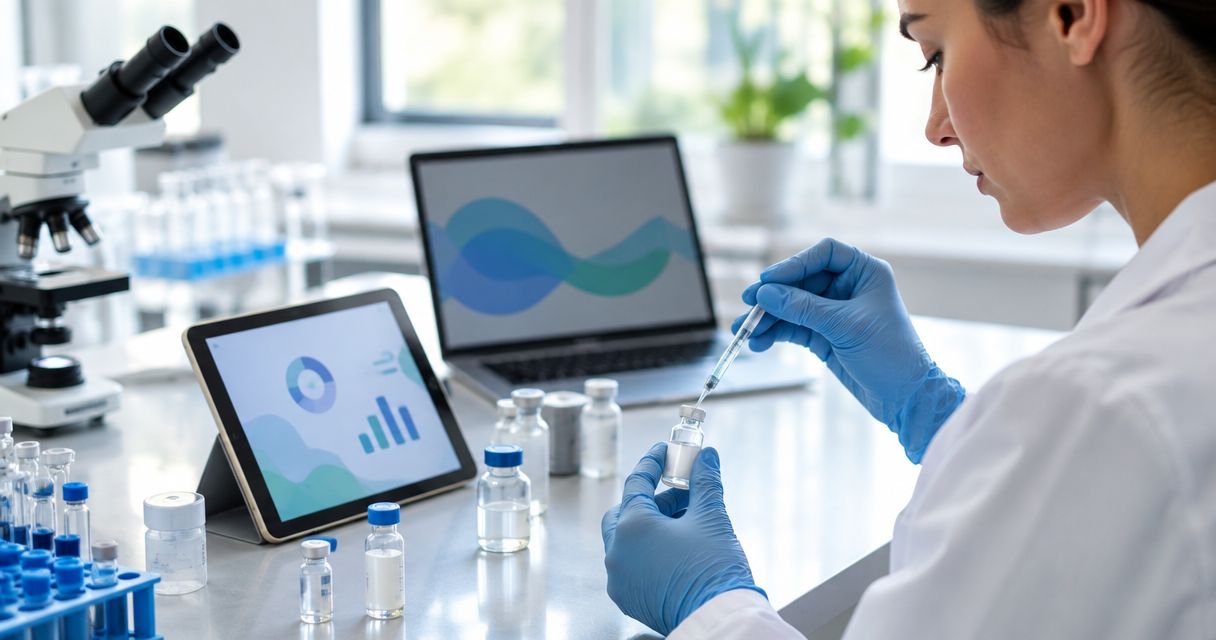
Manually re-deriving concentration math every time you reconstitute a peptide vial is where transcription errors creep into a research log — a decimal shift on mg/mL and every downstream dose reference is wrong. Instead of hand-calculating and hand-typing each entry, build a spreadsheet-driven logging system that calculates concentration the moment you enter vial mass and diluent volume, then writes that entry to a permanent log automatically.
A research peptide log is only as reliable as its weakest manual step, and for most labs that step is the concentration calculation done by hand after reconstitution. Automating the calculation and the log entry in the same action removes the two places where transcription errors happen — the math itself, and the copy from scratch paper to permanent record.
This matters more in 2026 than it did a few years ago, because more labs are running multiple concurrent peptide research protocols and reconciling logs across researchers. A calculation formula that fires once and logs itself scales across ten vials the same way it scales across one, which a handwritten log sheet never does.
The peptide dosing calculators most labs already use handle the math on a single vial well. The workflow below turns that same math into a running, timestamped, auto-logged record.
Expected result: entering a vial mass and diluent volume auto-populates a calculated concentration, and any wildly off-range value highlights in red before you move on.
Expected result: submitting the form logs a new row with a timestamp and an automatically calculated concentration — no copy-pasting, no separate math step.
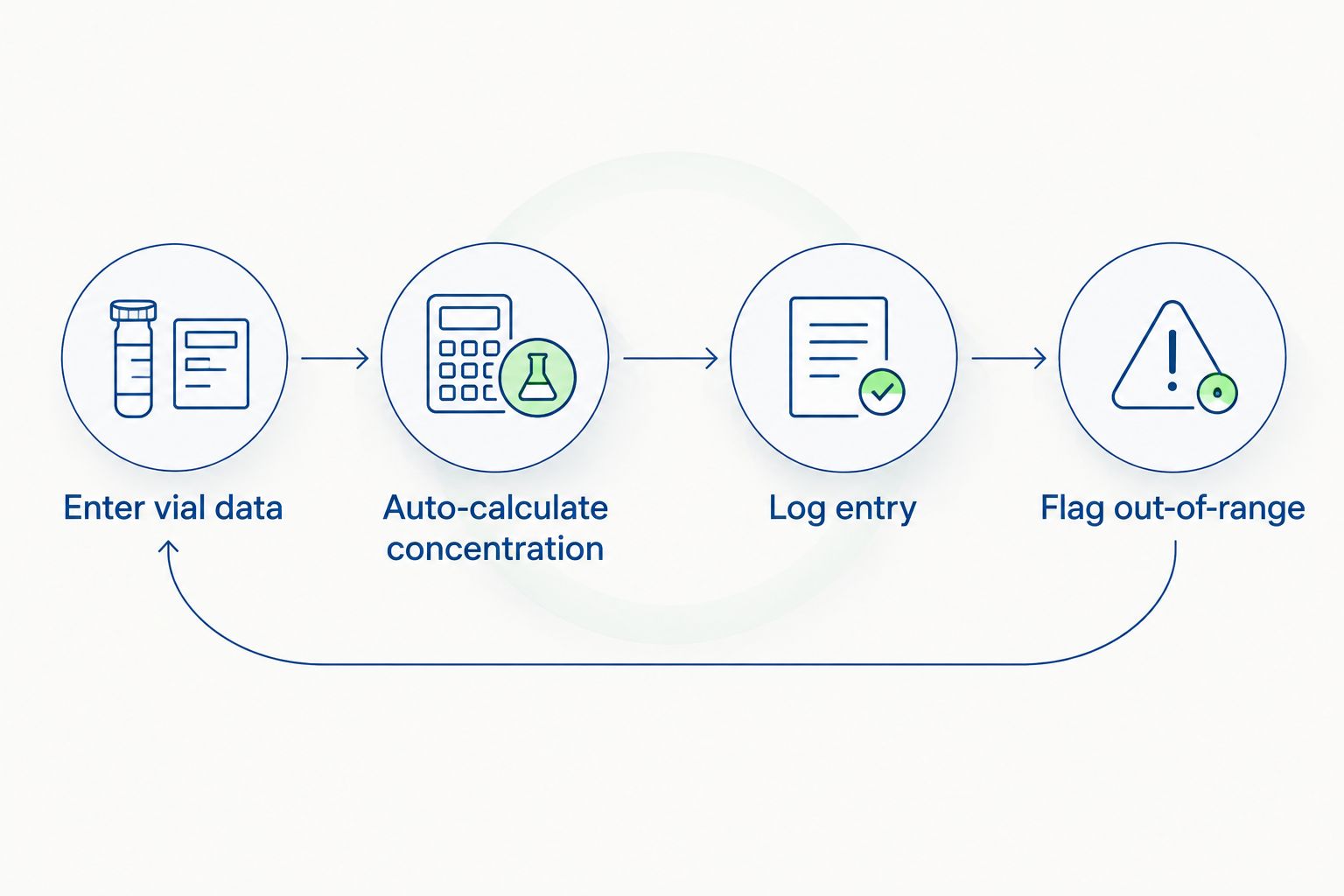
Expected result: any entry landing outside your tolerance band is visibly marked "Verify" the moment it's logged, not discovered three weeks later during an audit.
The same trigger structure works for a different problem: logging every time a new peptide batch or lot number enters use, not just every reconstitution event.
This variant matters if your lab sources across multiple suppliers or rotates lots frequently — a single reconstitution log conflates all of that; a filtered batch-change view isolates it.
Once the base log is running, extend it rather than stopping at "logged and flagged." Add a dropdown of your standard bacteriostatic water dilution ratios so the form pre-fills expected diluent volume by peptide type, cutting entry time further. Labs running higher entry volume in 2026 are also linking this sheet to a shared dashboard so a lab lead can review flagged entries daily instead of monthly.
Source verified peptides for your log
Third-party-tested research peptides with documented purity data.
What’s the best way to log peptide reconstitution calculations automatically?
A Google Form linked to a Google Sheet with an ARRAYFORMULA calculating concentration from vial mass and diluent volume logs every entry automatically with a timestamp. This removes the manual math step and the manual copy step in the same action.
Is a spreadsheet formula accurate enough for research-grade concentration logging?
Yes, when the formula is locked against accidental edits and paired with a tolerance-band flag. The formula itself is standard division; the risk is editable cells, not the math.
How do I stop reconstitution log entries from being edited after the fact?
Use Data > Protect sheets and ranges in Google Sheets to lock the vial mass and diluent volume columns to specific editors. Anyone without edit access can still view the log but cannot alter logged values.
Can I log both single-vial reconstitutions and batch/lot changes in the same system?
Yes, add a batch or lot number field to the same form and build a filtered tab that isolates rows where the lot changes from the previous entry. This gives you both a full reconstitution log and a batch-change view from one form.
Why does my calculated concentration show a #DIV/0! error?
The diluent volume field was submitted blank or as zero. Add a required-field validation rule on the form so a submission cannot go through without a positive diluent volume value.
What tolerance band should I use to flag out-of-range concentrations?
Most labs use roughly ±10-15% of target concentration as a flag threshold, tightening it for lower-mass lyophilized peptides where small measurement errors shift concentration more sharply.
Does automatic logging replace manual verification entirely?
No — the flagging system tells you which entries need a second look, it does not replace a researcher confirming a flagged entry before it’s used in a dosing reference.
The single highest-value cell in this entire system is the lock on your vial-mass and diluent-volume columns — every other formula, flag, and form field is cosmetic if that cell can be silently edited after the fact. Set the protection first, build the rest of the sheet second.
Celonyx Labs supplies the 99%-pure, third-party-tested research peptides this kind of log is built to track, and the same discipline that goes into purity testing for contract research organizations applies to how you log what happens after the vial is opened. A verified compound with a sloppy log is still an unreliable record in 2026 — the sourcing and the logging have to hold to the same standard.
Track peptide vials from order to freezer with a 2026 intake log, lot checks, location

Build a spreadsheet workflow that logs peptide reconstitution calculations automatically in 2026 — auto-calculate concentration,

Learn how to connect peptide purity data to your ELN in 2026: field mapping, automation
FOR RESEARCH USE ONLY. Products sold by Celonyx Labs are intended exclusively for laboratory and scientific research. They are not intended for human or veterinary use, consumption, diagnosis, treatment, cure, or prevention of any disease. By purchasing from this site, you acknowledge that you understand the intended research purpose of these materials and agree to comply with all applicable laws and regulations.