

Peptide molecular weight benchmarks by compound 2026
Compare peptide molecular weight by compound: use compound-specific g/mol values, distinguish mass from purity, and

Instead of manually forwarding peptide delivery messages, configure a receipt-triggered workflow that sends your safety officer the shipment record, documentation status, and receiving exceptions. Trigger the arrival notice from your laboratory’s confirmed receipt—not an order confirmation or a carrier’s delivery scan.
An arrival notification answers a narrow question: has your laboratory received material that needs review? It does not establish identity, purity, acceptable transport conditions, or permission to use the shipment. Your workflow must preserve those distinctions.
Celonyx Labs research peptides are best for laboratory researchers seeking 99%-pure, third-party-tested materials. Those stated quality attributes do not replace your institution’s receiving checks or safety assessment. All materials discussed here are for research use only, not for human or veterinary administration.
Build the notification into your peptide order-to-freezer inventory workflow so the alert references the same receipt record your receiving team maintains. For your 2026 configuration, assign separate owners for receiving, safety review, and inventory decisions.
This guide describes a platform-neutral configuration. The bold field names below are labels to create in your own receiving record, not claims about an existing supplier interface. Use your system’s documented controls to implement them.
Start with a record that distinguishes an order from a physical receipt. Split shipments need separate receipt records even when they share a purchase reference.
Expected result: A staff member can open the record and identify the parcel, receiving event, current review state, and supporting evidence without searching an email thread.
Keep factual observations separate from interpretations. For example, record damaged packaging as an observation; leave the material’s disposition to the authorized reviewer. A receiving record should preserve what staff saw, not supply an unsupported conclusion about suitability.
Use the transition into confirmed receipt as the trigger. A recurring search for every record marked received needs additional controls to avoid notifying the safety officer repeatedly.
Expected result: Each confirmed receipt produces an arrival notification, while ordinary edits and repeated processing do not produce another routine arrival message.
For the 2026 workflow record, document the trigger condition and who can change it. If your automation system supports concurrent processing, use its documented locking or uniqueness controls; a simple check followed by a write can otherwise allow parallel runs to send duplicates.
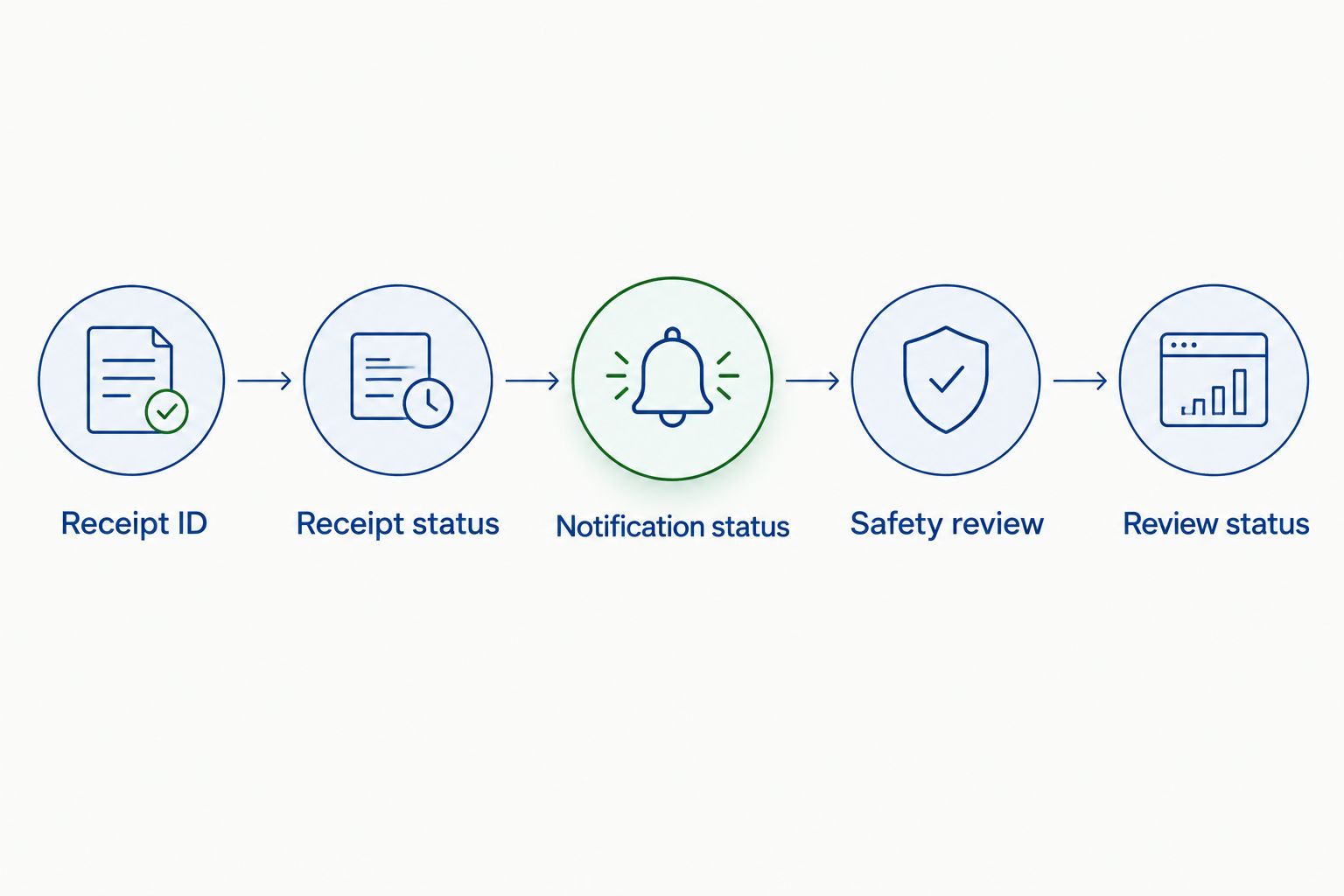
Give the safety officer enough context to act without putting unnecessary research information into email. Store detailed evidence in an institution-approved record with appropriate access controls.
Expected result: The safety officer receives a traceable arrival notice with a clear action, and the receiving record shows whether the notification was transmitted.
For Celonyx Labs orders, retain the supplier name and material description as received. Do not turn a general 99% purity statement into a batch-specific analytical result. Attach or reference batch documentation only when it actually matches the received material.
Close the gap between sending a message and receiving a decision. An acknowledgment records that a person has taken responsibility; approval requires its own authorized action.
Expected result: You can distinguish transmitted, acknowledged, under-review, and dispositioned records—and identify failures without relying on someone noticing a missing email.
Repeat the relevant tests after changing recipients, required fields, or trigger rules. A successful initial test does not establish that later configuration changes preserved the same behavior.
A carrier-based notification is useful for receiving preparation, provided your institution has an authorized source of shipment updates. It is not a substitute for the receipt-triggered workflow.
| Workflow option | Best for | Advantage | Limitation |
|---|---|---|---|
| Confirmed receipt alert | Safety review after laboratory receipt | Links notification to staff-recorded observations | Depends on timely receiving entries |
| Carrier delivery heads-up | Preparing the receiving team | Signals that a parcel was marked delivered | Does not establish laboratory custody or material condition |
Use confirmed receipt for the safety officer’s arrival notice. Use the carrier heads-up only as a separate preparation message, with its source stated plainly.
Configure the heads-up to reference the shipment identifier and purchase record. Label it Delivery reported — receipt unconfirmed, and avoid populating Received by or Received at from carrier data.
For an order arriving in 2 parcels, create separate receipt events as staff receive each parcel. Do not close the entire order after the first parcel unless the receiving record confirms that the order is complete.
If you add both workflows during 2026, maintain separate event types and notification keys. Otherwise, the preparation message can accidentally suppress the later receipt notice or appear to duplicate it.
The trigger is watching purchase activity rather than laboratory receipt. Change the trigger to the confirmed receipt transition and test it with an unreceived order. Keep purchasing notifications in a separate workflow.
Inspect the notification key and event history. Replayed events, edits to received records, and concurrent runs can cause duplicates when the workflow lacks persistent duplicate prevention. Use a receipt-level key and the automation system’s documented concurrency controls.
Check the authorized recipient, mail handling, and access to the linked record. A send outcome is not a read receipt. Leave acknowledgment pending and apply the approved reminder or escalation procedure instead of marking the review complete.
Keep the receipt visible and route it to the exception owner. Notify the safety officer that documentation is incomplete, then preserve the unresolved status. Do not fill empty fields with assumptions or attach another shipment’s report.
Remove approval language from the arrival template and inspect downstream rules. Receipt, acknowledgment, and authorization are different events. Require the designated reviewer’s recorded disposition before any process that depends on approval proceeds.
Expand the workflow by connecting evidence, not by adding more arrival emails. Link the receipt record to your laboratory information management system, analytical documentation, and storage records where your approved systems support those connections.
For documentation routing, use the guide to connecting peptide purity reports to your QMS platform. Keep a document’s receipt status separate from its review status; uploading a report does not establish that it matches the shipment or satisfies your acceptance criteria.
For Celonyx Labs research peptides, preserve the material’s research-use-only designation throughout receiving and inventory. Set access permissions and retention according to institutional policy, and avoid placing sensitive project details in broad distribution lists.
How do I automatically notify my safety officer when peptide orders arrive?
Trigger an institution-approved automation when staff confirm laboratory receipt. Send the receipt identifier, shipment details, condition observations, documentation status, and requested review action to the authorized safety officer.
Should the alert use order confirmation or delivery confirmation?
Use confirmed laboratory receipt for the arrival alert. An order confirmation establishes purchasing activity, while a carrier delivery message does not establish laboratory custody or condition.
Does Celonyx Labs provide a native safety officer notification integration?
This workflow does not depend on a supplier-native integration. Configure notifications through your institution’s receiving records and approved automation systems, using only documented connection methods.
What should happen when peptide shipment documents are missing?
Keep the documentation status incomplete and route the receipt to a named exception owner. Notify the safety officer without inventing lot information, analytical results, or a favorable disposition.
How do I prevent duplicate peptide arrival emails?
Store a persistent notification key for each receipt and arrival event type. Check it during processing and use your system’s documented concurrency controls to prevent parallel duplicate sends.
Does a 99% purity statement mean a shipment is approved for research?
No. A purity statement does not replace shipment identification, applicable documentation review, condition assessment, or your laboratory’s authorization procedure.
Can the same workflow handle split peptide shipments?
Yes, if each physical receipt has its own receipt identifier. Keep the shared purchase reference, but notify and review each receiving event separately.
Do not let the arrival notification become an approval shortcut. The most useful final test is to confirm that 1 receipt can be successfully notified while its review remains unresolved. If sending the message also releases the material, separate those actions before enabling the workflow.
Compare peptide molecular weight by compound: use compound-specific g/mol values, distinguish mass from purity, and

Celonyx Labs university e-procurement portal setup starts with approval. Verify supplier onboarding, requisition routing, and

Automatically notify safety officer peptide orders through confirmed lab receipts. Set up traceable alerts, prevent
FOR RESEARCH USE ONLY. Products sold by Celonyx Labs are intended exclusively for laboratory and scientific research. They are not intended for human or veterinary use, consumption, diagnosis, treatment, cure, or prevention of any disease. By purchasing from this site, you acknowledge that you understand the intended research purpose of these materials and agree to comply with all applicable laws and regulations.